
Choosing call centre dialler software involves more than making and receiving calls. UK sales teams, customer service departments and business process outsourcing (BPO) providers need reliable conversations, organised contact data and reporting that shows what is working. The right setup depends on team size, call volume and whether the work is inbound, outbound or a mixture of both.
Klozer offers a cloud-based calling platform with predictive, power and preview diallers, call routing and ACD, call recording and monitoring, analytics, CRM integration, two-way SMS, chat, click-to-call and API options. Use the following checklist to compare providers and confirm that each feature fits your workflow.
1. Choose the right dialler for each campaign
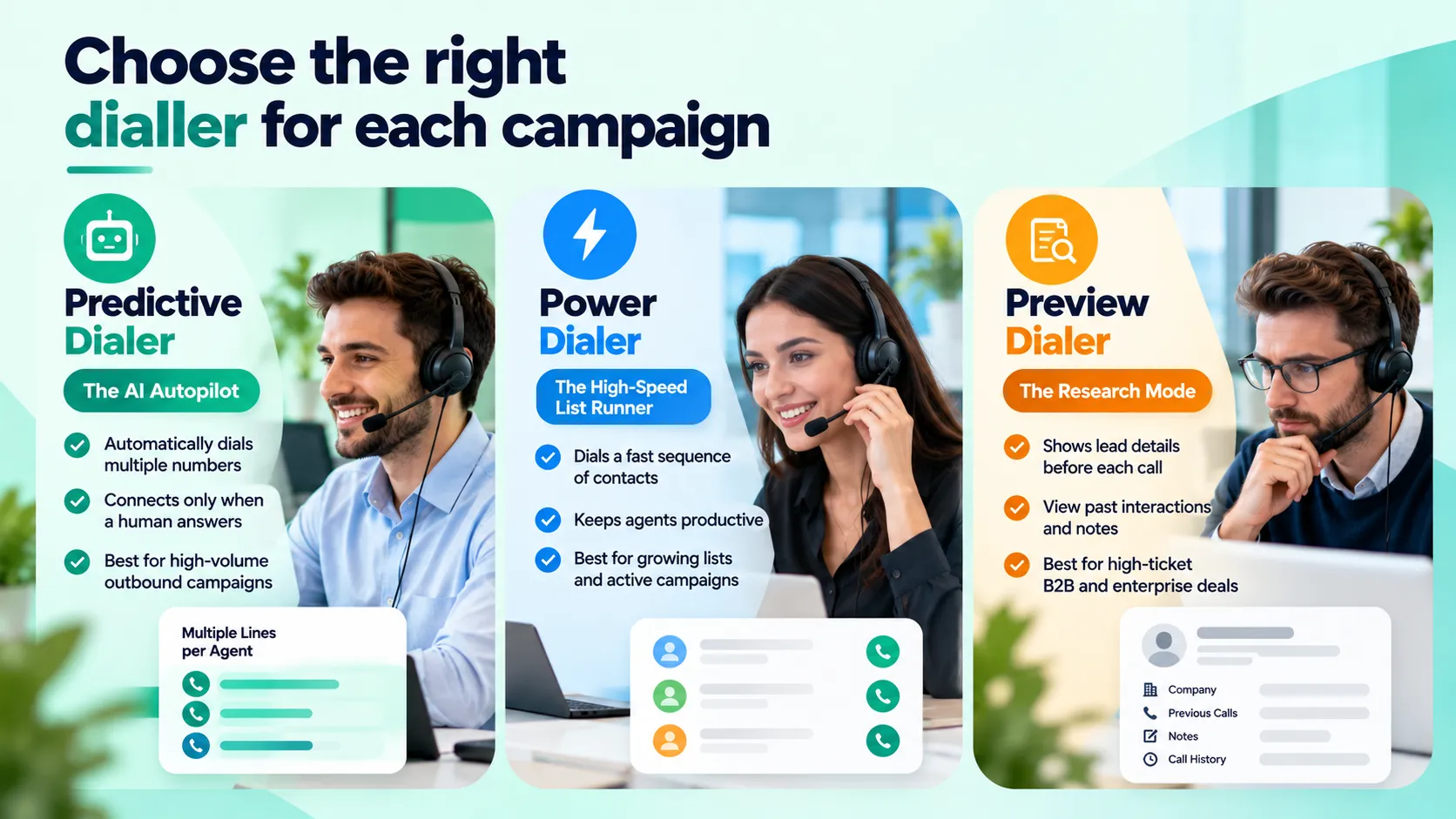
Call centre dialler software can reduce manual work, but the modes are not interchangeable. A predictive dialler uses algorithms to place outbound calls in anticipation of agent availability. It is designed for high-volume campaigns and needs careful configuration to manage abandoned calls and comply with applicable rules.
A power dialler moves through a contact list automatically at a configured pace, so agents spend less time entering numbers. A preview dialler lets an agent review a lead’s details before calling, which can suit complex B2B sales or personalised follow-ups. Klozer offers all three options; review its dialler product range and test the workflow with a realistic campaign. Some providers also use the term progressive dialler, so ask exactly how pacing and agent availability are handled.
2. Check cloud calling, VoIP and number options
Cloud call centre software runs over an internet connection rather than relying only on equipment at one office. A cloud phone system is also known as a business VoIP phone system or hosted PBX. . Check internet requirements, service availability, security, remote access, support and how the system scales. If you need SIP trunking, confirm explicitly that the provider supports your intended setup.
UK virtual phone numbers for business can help a company present a relevant local number, while international virtual phone numbers may suit teams working across markets. Klozer lists virtual numbers in multiple countries, but number availability, verification, SMS capability and permitted use can vary. Confirm that the specific UK or international number you need is available for your account.
3. Evaluate inbound routing, IVR and queues
For inbound teams, look for an IVR system, call queues, transfers and automatic call distribution (ACD). Useful rules may route callers by department, agent availability, skill or priority. Ask whether supervisors can view queue activity and whether callers can reach the right team without repeating information. Klozer describes its ACD as routing calls using rules such as agent availability, skill set and priority; review the ACD feature details before deciding whether the configuration fits your operation.
4. Look for recording, monitoring and analytics
Call recording software and monitoring features can support quality reviews, coaching and dispute resolution. Call analytics software should make it possible to assess useful measures such as call volume, outcomes, talk time and agent performance. Check who can access recordings, how long they are retained, whether reports can be exported and which features are included in your plan. Recording should be configured with suitable notices, permissions and retention rules for your use case.
5. Connect CRM, click-to-call, SMS and chat
Most call centre diallers do not offer built-in CRM integration, which can make it difficult for sales teams to manage leads and call activity in one workflow. Klozer integrates with supported CRM platforms, allowing businesses to sync lead and contact information, call leads directly from CRM records using click-to-call, and log call activities, notes and outcomes. This helps agents manage follow-ups and keeps customer interaction records organised across both systems. Klozer lists integrations with platforms including Salesforce, HubSpot, Zoho CRM and Pipedrive . Businesses should confirm compatibility with their existing CRM and the specific features available for their setup.
Klozer also offers communication options for customer follow-ups, including two-way SMS, live chat, click-to-call, SMS API and voice API capabilities. These tools can help teams manage calls and messages within connected workflows, depending on their configuration. Check the current integration options, messaging coverage, charges and relevant consent requirements before use.
6. Make UK compliance part of the buying decision
Software alone does not make a campaign compliant. UK organisations making live direct-marketing calls should review current ICO guidance, screen relevant numbers against the Telephone Preference Service (TPS) and Corporate Telephone Preference Service (CTPS), maintain their own do-not-call records and respect objections. Rules differ by audience and call type; Automated calls that play recorded marketing messages require clear consent from the recipient. Read the ICO guidance on live marketing calls and business-to-business marketing. This is general information, not legal advice.
7. Compare the whole cost and support model
Compare seat costs, number rental, calling and messaging charges, onboarding, integrations, support and usage limits. Ask for a demonstration using your own call flows and questions. Klozer’s pricing page currently describes Starter and Growth plans and states that its feature set is included across plans, with selection based on team size. Because plan details can change, check the current terms directly on the Klozer pricing page and ask which features and numbers apply to your account.
Conclusion: Choose features that fit your team
The most useful call centre software features UK businesses should prioritise are those that match their real workload: an appropriate dialler, dependable cloud calling, inbound routing, recording and analytics, CRM connections, follow-up channels and clear compliance processes. Klozer publishes a range of these tools for outbound teams and contact-centre workflows. Review the relevant product pages, verify current availability and pricing, and test your scenarios in a demonstration before choosing a platform.